|
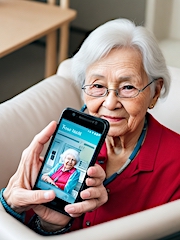
In an age where digital connectivity is a fundamental part of daily life, cell phones have become indispensable tools. This is especially true for seniors who can leverage these devices to enhance their daily living, safety, and independence.
This page explores the essential aspects of cell phones and smartphones tailored to the unique needs and preferences of seniors.
Seniors' Ideal Cell Phone Attributes -
- Large, Easy-to-Read Displays: Seniors often prefer phones with larger screens and crisp text for improved visibility.
- User-Friendly Interface: Intuitive interfaces and simple navigation are key for seniors new to digital technology.
- Hearing Aid Compatibility: Phones compatible with hearing aids or those equipped with enhanced volume controls are crucial for seniors with hearing impairments.
- Simplified Keyboards: Phones with tactile, well-spaced buttons or touchscreen keyboards with voice-to-text capabilities help seniors with dexterity issues.
- Durability: Sturdy, drop-resistant designs offer added protection and longevity.
- Long Battery Life: Extended battery life ensures seniors aren't tethered to chargers throughout the day.
- Emergency Features: Phones equipped with SOS buttons and GPS tracking provide an extra layer of safety.
Useful Programs and Capabilities -
- Health and Wellness Apps: Seniors can monitor their health, track medications, and engage in fitness routines using specialized apps.
- Video Calling: Stay connected with family and friends through video calls on smartphones.
- Voice Assistants: Voice-activated assistants like Siri, Google Assistant, or Alexa can provide helpful information and reminders.
- Fall Detection Apps: These apps use the phone's sensors to detect falls and send alerts if needed.
- GPS and Navigation: Seniors can use GPS to find their way, whether traveling or on a daily walk.
- Photo and Video Capabilities: Preserve memories and share moments with loved ones through the phone's camera and video features.
- Audio Books and Podcasts: Enjoy literature and stay informed with audio content.
Versatile Uses for Seniors -
- Communication: Keep in touch with family, friends, and caregivers via calls, texts, or video chats.
- Safety and Emergency Contacts: Easily reach out to healthcare providers or family members in emergencies.
- Social Interaction: Engage in online communities or social media to combat isolation.
- Entertainment: Stream music, watch videos, play games, or read e-books.
- Health Monitoring: Utilize health apps to track vitals, medications, and appointments.
- Local Services: Find nearby amenities like restaurants, grocery stores, and pharmacies.
- Education: Learn new skills or explore interests through online courses.
Summary -
Cell phones have evolved into powerful tools for seniors, enhancing their safety, connectivity, and quality of life. When choosing a phone, seniors should prioritize attributes such as display size, user-friendliness, compatibility with hearing aids, and durability. Useful features include health and wellness apps, video calling, GPS navigation, and entertainment options.
Seniors can harness the capabilities of cell phones to stay in touch with loved ones, maintain their health, and explore a world of knowledge and entertainment.
|

|